Table of Contents
- Key Takeaways
- Quick Verdict
- Product Overview & Specifications
- Real‑Life Context
- Scenario 1 – 8‑Hour Coding Sprint
- Scenario 2 – Competitive FPS Sessions
- Pros & Cons
- Comparison & Alternatives
- Cheaper Alternative – Redragon K552 Kumara
- Premium Alternative – Keychron Q1 (Hot‑Swappable, Gateron Pro Brown)
- Buying Guide – Who Should Buy?
- Best for Beginners
- Best for Professionals
- Not Recommended For
- FAQ
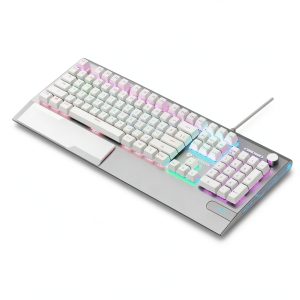
When you spend hours typing code, grinding ranks, or just chatting with friends, the keyboard becomes the silent workhorse that can either boost your performance or sap your energy. The market is flooded with RGB‑lit, mechanical options, but most of them either lock you into a single switch type or charge premium prices for a metal case. The Topteng K1000 promises a middle ground: a hot‑swappable, 104‑key layout with a 1.5 mm alloy panel, 25 RGB modes, and a volume‑control knob—all for under $70. In this review I’ll break down what that actually feels like in a gaming rig and a home office, and help you decide if it earns a spot on your desk.
Key Takeaways
- Hot‑swappable red linear switches make it easy to experiment with different feel without soldering.
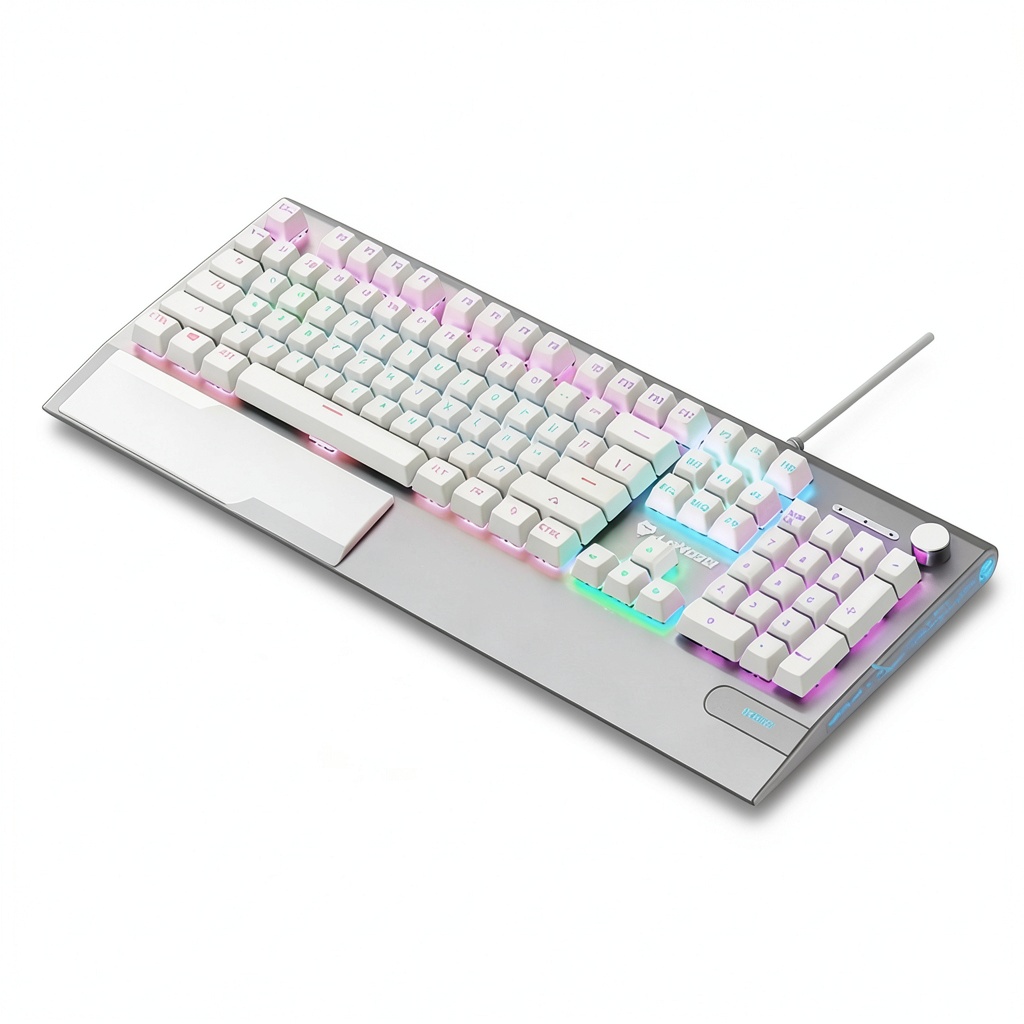
- 1.5 mm brushed‑metal top plate adds a premium heft while keeping the price low.
- PBT keycaps resist shine, but the legends are double‑shot and slightly faint.
- Full N‑key rollover + anti‑ghosting works flawlessly for fast‑paced gaming.
- Ergonomic palm rest is comfortable for long sessions, but the low‑profile design may feel cramped for users with larger hands.
- At $68.59 it undercuts many mid‑range keyboards, yet it lacks premium features like per‑key RGB or wireless connectivity.
Quick Verdict
- Best for: Budget‑conscious gamers and programmers who want switch customisation without breaking the bank.
- Not ideal for: Users who demand per‑key lighting, wireless freedom, or premium‑grade switches (e.g., Cherry MX Gold).
- Core strengths: Hot‑swap flexibility, solid metal chassis, reliable N‑key rollover, quiet red switches.
- Core weaknesses: Limited RGB customization, modest switch quality, palm‑rest may feel thin for heavy typists.
Product Overview & Specifications
| Feature | Specification |
|---|---|
| Layout | Full‑size 104‑key (ISO/ANSI selectable) |
| Switch Type | Hot‑swappable linear red (3.5 g actuation) |
| Keycap Material | PBT, double‑shot legends |
| Backlighting | 25 RGB modes, zone‑based lighting |
| Construction | 1.5 mm brushed aluminum top plate, ABS bottom case |
| Connectivity | USB‑C wired, detachable cable |
| Additional Controls | Multifunction knob (volume / lighting) |
| Durability | N‑key rollover, anti‑ghosting, 50 M keystroke rating per switch |
| Dimensions | 17.5″ × 5.5″ × 1.5″ (445 × 140 × 38 mm) |
| Weight | 1.2 kg (2.65 lb) |
| Price | $68.59 |
Real‑Life Context
To see how the K1000 behaves outside the spec sheet, I tested it in two distinct environments that mirror the typical buyer’s day.
Scenario 1 – 8‑Hour Coding Sprint
Set up in a dual‑monitor home office, I paired the keyboard with a Logitech MX Master 3 mouse and ran VS Code, Chrome, and Discord simultaneously. The linear red switches felt like a hybrid between a low‑profile laptop and a traditional mechanical board: light, smooth, and almost silent. After three hours the palm rest remained comfortable, and the metal top plate helped keep the keyboard stable even when I hammered the space bar during code‑snippets. The only annoyance was the modest key‑travel (3.5 mm) which, for a seasoned typist, felt a tad shallow compared to a Cherry MX Brown.
Scenario 2 – Competitive FPS Sessions
Switching to a 144 Hz RTX 3080 rig, I enabled the “Wave” RGB mode and bound the multifunction knob to volume. In a 5‑v‑5 match of Valorant, the N‑key rollover registered every rapid tap without ghosting, even when I executed 10‑key combos with my left hand. The red switches’ 45 g actuation force meant I could flick keys without fatigue, which is a subtle but real advantage in long rank‑up sessions. However, the lack of per‑key lighting made it harder to create custom profiles for specific game zones—something that high‑end keyboards handle out of the box.
Pros & Cons
- Pros
- Hot‑swappable switches let you try tactile or clicky variants later.
- Metal top plate adds premium feel and reduces flex.
- PBT caps stay matte after months of use.
- Full N‑key rollover eliminates missed inputs.
- Price well below $70 for a full‑size board.
- Cons
- Switches are basic linear reds; no premium tactile options out‑of‑the‑box.
- RGB is zone‑based, not per‑key, limiting custom lighting.
- Palm rest is thin plastic—might not satisfy users who need extensive wrist support.
- No wireless or Bluetooth mode.
Comparison & Alternatives
Cheaper Alternative – Redragon K552 Kumara
At roughly $35, the Redragon K552 offers a compact 87‑key TKL layout, mechanical Outemu reds, and single‑zone RGB. While its ABS caps wear faster and the plastic case feels flimsier, the price is hard to beat for a starter board. If you’re on a shoestring budget and don’t need a full‑size layout or hot‑swap capability, the K552 is a solid entry point.
Premium Alternative – Keychron Q1 (Hot‑Swappable, Gateron Pro Brown)
Priced around $149, the Keychron Q1 brings a CNC‑machined aluminum case, per‑key RGB, QMK/VIA firmware, and higher‑grade Gateron Pro Brown switches. It also includes a more substantial wrist rest and a detachable USB‑C cable with a built‑in USB hub. For power users who want deep customization, programmable macros, and a sturdier build, the Q1 justifies its premium tag. However, the K1000 still wins on price‑to‑feature ratio for gamers who don’t need that level of programmability.
Buying Guide – Who Should Buy?
Best for Beginners
If you’re new to mechanical keyboards and want to experiment with switch types without buying a whole new board, the K1000’s hot‑swap sockets are a playground. The quiet red switches won’t disturb roommates, and the metal chassis feels more premium than typical budget plastics.
Best for Professionals
Programmers, writers, and designers who spend >6 hours typing will appreciate the ergonomic palm rest and the durability of PBT caps. The ability to swap to a tactile or clicky switch later means you can evolve the board as your preferences change.
Not Recommended For
- Enthusiasts demanding per‑key RGB or advanced macro engines.
- Users who prefer a thick, gel‑filled wrist rest.
- Anyone who needs wireless connectivity for a clutter‑free desk.
FAQ
- Can I replace the red switches with tactile or clicky ones?
- Yes. The hot‑swap sockets accept any MX‑compatible switch, so you can install Gateron Browns, Kailh Box Whites, or even custom lubed switches without soldering.
- Is the RGB lighting configurable per key?
- No. The K1000 offers 25 preset zone‑based modes. For per‑key lighting you’d need a higher‑end model like the Keychron Q1 or a dedicated RGB controller.
- How does the keyboard feel after a month of heavy use?
- The PBT caps stay matte, and the metal top plate shows no scratches. The linear reds remain smooth; occasional key‑cap wobble can appear if you swap switches frequently, but it’s easy to reseat.
- Does the multifunction knob interfere with gaming?
- The knob sits on the right side and can be set to volume or lighting. In fast‑paced games it’s rarely touched, so it doesn’t affect performance.
- Is the USB‑C cable detachable?
- Yes, a 1.8 m detachable USB‑C cable is included, making transport easier and reducing wear on the board’s port.
- Is the K1000 worth buying at $68?
- If you want a full‑size, hot‑swappable board with a metal feel and solid N‑key rollover, the price is hard to beat. If you need premium RGB, wireless, or a thick wrist rest, consider spending more.