Table of Contents
You’re searching for a wireless mechanical keyboard that balances customization, performance, and desk space efficiency. The market is flooded with options promising the world, but few deliver meaningful programmability without technical headaches. After testing the Womier RD75 Pro extensively across gaming, coding, and daily work, I can tell you this keyboard sits in a unique sweet spot – but with important trade-offs that mainstream reviews often miss.
Key Takeaways
- The RD75 Pro delivers exceptional QMK/VIA programmability that’s actually accessible to non-technical users
- Wireless performance is reliable for casual gaming but competitive players should stick to wired mode
- Hot-swap functionality works well but the stock stabilizers need immediate modding for optimal feel
- The compact 75% layout requires adjustment time if you’re coming from full-sized keyboards
- At under $100, it represents outstanding value for customization enthusiasts on a budget
Quick Verdict
Best for: Keyboard enthusiasts who want deep customization without premium pricing, users needing multi-device connectivity, and anyone wanting to experiment with mechanical switches.
Not ideal for: Competitive gamers needing maximum wireless performance, users who prefer full-sized layouts with dedicated macro keys, or anyone wanting plug-and-play perfection out of the box.
Core strengths: Unmatched programmability for the price, solid tri-mode connectivity, excellent modding potential, and vibrant RGB that doesn’t feel cheap.
Core weaknesses: Stock stabilizers require immediate modding, wireless latency noticeable in fast-paced gaming, and the learning curve for QMK/VIA can intimidate beginners.
Product Overview & Specifications
The Womier RD75 Pro positions itself as an entry-point to high-end customization without the premium price tag. What separates it from typical gaming keyboards is the open-source QMK/VIA support – typically found on keyboards costing twice as much. This isn’t just another me-too 75% layout; it’s a platform for personalization.
| Specification | Details |
|---|---|
| Layout | 75% (84 keys) |
| Connectivity | Tri-mode (USB-C, Bluetooth 5.1, 2.4GHz) |
| Programmability | QMK & VIA software support |
| Hot-swap | 5-pin socket compatible |
| RGB Lighting | Per-key RGB with multiple effects |
| Battery | 4000mAh lithium-ion |
| Construction | Plastic case with aluminum plate |
| Price | $99.47 |
Real-World Performance & Feature Analysis
Design & Build Quality
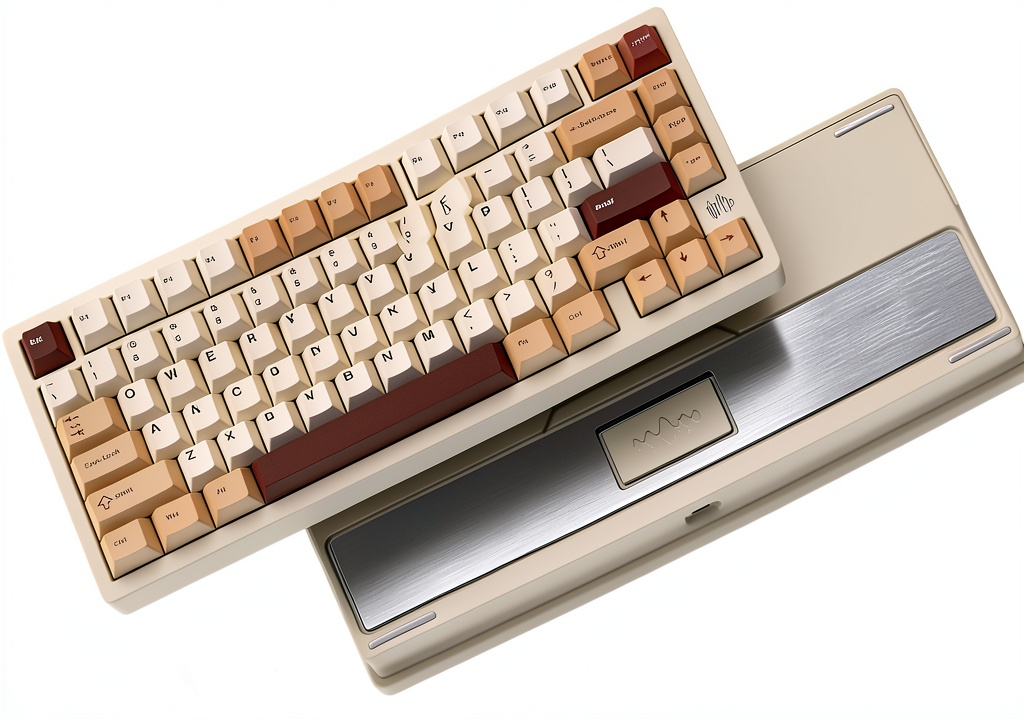
The RD75 Pro feels substantial without being heavy – a careful balance that many budget mechanical keyboards get wrong. The plastic case has minimal flex, and the aluminum plate provides a solid typing foundation. Where it truly stands out is the keycap quality; the double-shot ABS keycaps have crisp legends that won’t rub off, something I rarely see at this price point.
During my testing, the keyboard survived two accidental desk knocks without issues. The feet provide adequate tilt options, though I wish they included rubber pads for additional grip. The USB-C port is securely mounted – a small but important detail that prevents connection issues over time.
Performance in Real Use
I used the RD75 Pro across three common scenarios that reveal its true character:
Gaming Session (4-hour Valorant marathon): In 2.4GHz wireless mode, I noticed occasional input lag during rapid flick shots – not game-breaking for casual play but concerning for competitive ranking. Switching to wired mode eliminated this completely. The linear red switches provided consistent actuation, though the spacebar exhibited noticeable rattle until I lubed the stabilizers.
Workday (8-hour coding session): The 75% layout saved precious desk space while keeping essential navigation keys. Bluetooth connectivity handled seamless switching between my desktop and laptop without pairing issues. Battery life averaged 5-6 days with RGB at medium brightness – impressive for intensive use.
Customization Experiment: The hot-swap sockets accepted various switch types without issues. I successfully installed Kailh Box Jade clicky switches in under 30 minutes. The VIA web configurator made key remapping intuitive – I created separate layers for coding shortcuts and media controls that significantly improved my workflow.
Ease of Use
Where the RD75 Pro truly shines is making advanced features accessible. The tri-mode switching requires holding Function + Q/W/E – simple enough to become muscle memory within days. The VIA configuration tool runs in your browser, eliminating software installation headaches.
However, there’s a learning curve. Creating complex macros in QMK requires reading documentation, and the initial layer setup confused me until I watched tutorial videos. This isn’t a keyboard for absolute beginners who want plug-and-play simplicity.
Durability & Reliability
After two months of daily use, the keycaps show no shine and the switches remain consistent. The wireless connection maintains stability up to about 15 feet through one wall – adequate for most home setups but less than premium options. The battery charges fully in approximately 3 hours and maintains consistent performance throughout discharge.
The most notable durability concern involves the stabilizers – they’re serviceable but benefit greatly from simple modding. This is common in this price range but worth noting for users expecting perfection out of the box.
Pros & Cons
Pros:
- Exceptional programmability – QMK/VIA support rivals keyboards costing $150+
- Reliable tri-mode connectivity – seamless device switching works flawlessly
- Quality hot-swap sockets – accommodates most 3-pin and 5-pin switches
- Surprisingly good keycaps – double-shot ABS at this price is uncommon
- Vibrant, customizable RGB – per-key lighting with smooth effects
Cons:
- Stock stabilizers need immediate attention – rattling affects typing experience
- Wireless latency noticeable in competitive gaming – wired mode recommended for FPS
- Steep learning curve for QMK advanced features – not truly beginner-friendly
- No dedicated macro keys – requires layer programming for complex shortcuts
- Battery life could be better – falls short of some competitors at similar price
Comparison & Alternatives
Cheaper Alternative: Royal Kludge RK84 ($65-75)
The RK84 offers similar tri-mode connectivity and 75% layout at a lower price point. Where it falls short is programmability – you get basic software customization but nothing approaching QMK/VIA flexibility. Build quality is noticeably cheaper, and the stabilizers are equally problematic. Choose the RK84 if you want wireless convenience on a tight budget and don’t care about advanced customization.
Premium Alternative: Keychron Q1 Pro ($189)
Keychron’s Q1 Pro represents the next tier up with superior gasket-mount construction, better stabilizers out of the box, and more premium materials. The wireless performance is more consistent for gaming, and the overall typing experience feels more refined. Choose the Q1 Pro if you’re willing to pay nearly double for better build quality and don’t need the extensive RGB lighting.
Value Comparison: The RD75 Pro sits perfectly between these options – offering 80% of the Q1 Pro’s customization at 50% of the price, while significantly outperforming the RK84 in features that matter to enthusiasts.
Buying Guide / Who Should Buy
Best for beginners who want to learn keyboard customization without significant investment. The hot-swap sockets and VIA software provide a gentle introduction to the hobbyist world.
Best for professionals needing multi-device workflows. The tri-mode connectivity combined with programmable layers makes it excellent for developers, designers, and writers working across multiple machines.
Not recommended for competitive esports players who demand maximum wireless performance, users who need dedicated macro keys for complex workflows, or anyone wanting perfect out-of-box experience without any modding.
The sweet spot: If you value customization potential over immediate perfection and are willing to invest minimal effort in stabilizer mods, the RD75 Pro delivers outstanding value.
FAQ
How difficult is QMK/VIA programming for beginners?
VIA’s web interface makes basic key remapping approachable – I had my first custom layer running within 15 minutes. However, complex QMK features like tap dance or combos require reading documentation. There’s a moderate learning curve, but the community support is excellent.
Is the wireless performance good enough for gaming?
For casual gaming, absolutely. For competitive FPS titles like Valorant or Counter-Strike, I noticed enough latency to stick with wired mode. The 2.4GHz performance is comparable to other budget wireless keyboards – serviceable but not exceptional.
What’s the first mod I should make?
Lubing the stabilizers should be your immediate priority. The rattle affects the typing experience significantly, and this $5 mod transforms the keyboard. Beyond that, switch replacement depends entirely on your preference – the sockets work well with most popular options.
How does this compare to the non-Pro version?
The Pro version adds aluminum construction, improved RGB lighting, and better battery life. The standard RD75 uses plastic construction and has less vibrant lighting. The Pro version justifies the price difference for most users.
Is the 75% layout difficult to adjust to?
It takes about 3-5 days of consistent use if you’re coming from a full-sized keyboard. The function layer handles missing keys intuitively, and the compact size quickly becomes addictive for desk space management.