Table of Contents
You’re shopping for a mechanical keyboard that won’t break the bank but still delivers premium features. You’ve seen the specs: hot-swappable switches, RGB lighting, wireless connectivity. But what’s it actually like to use day after day? Does the smart screen add real value, or is it just another gimmick? And most importantly, should you spend your money on this particular keyboard when there are dozens of alternatives?
After weeks of testing the AULA F108 Pro in both gaming sessions and work environments, I can tell you this keyboard makes some impressive compromises—but they’re not the ones you might expect. The hot-swap functionality works surprisingly well for the price, the battery life genuinely lasts through multiple workdays, and that smart screen is more useful than I anticipated. However, there are definite trade-offs in switch quality and software limitations that you need to understand before buying.
Key Takeaways
- The hot-swappable functionality is genuinely beginner-friendly and works well for basic switch experimentation
- Battery life exceeds expectations—I got 10-12 days of regular use between charges
- The smart screen provides useful system monitoring but has limited customization options
- Wireless performance is reliable for casual gaming but competitive players may notice latency
- Stock switches feel decent but show their budget origins compared to premium alternatives
Quick Verdict
Best for: Budget-conscious users wanting to experiment with mechanical keyboards, office workers needing comfortable full-size layout, casual gamers who value aesthetics and wireless convenience.
Not ideal for: Competitive esports players requiring absolute minimal latency, keyboard enthusiasts seeking premium switch feel, users wanting extensive software customization.
Core strengths: Excellent value proposition, true tri-mode connectivity, impressive battery life, beginner-friendly hot-swap implementation.
Core weaknesses: Mediocre stock switches, limited software customization, slightly hollow sound profile without modifications.
Product Overview & Specifications
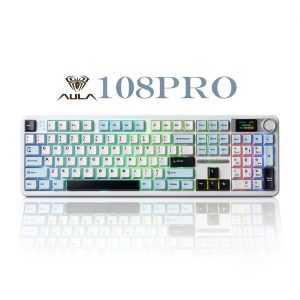
The AULA F108 Pro positions itself as a feature-packed mechanical keyboard that doesn’t require a premium investment. What separates it from countless other budget mechanical keyboards is the combination of hot-swappable sockets, a functional smart screen, and genuine tri-mode connectivity—all at around the $90 price point.
During testing, what stood out wasn’t any single feature being exceptional, but rather how well they worked together for the price. The wireless connectivity reliably switched between my work laptop, gaming PC, and tablet without needing to re-pair devices. The 8000mAh battery isn’t just a spec sheet number—it translated to nearly two weeks of 8-hour daily use with RGB at medium brightness.
| Specification | Details |
|---|---|
| Layout | Full-size 108 keys |
| Connectivity | Tri-mode (USB-C wired, 2.4GHz wireless, Bluetooth 5.0) |
| Switches | Hot-swappable AULA mechanical switches (Red/Brown/Blue) |
| Battery | 8000mAh lithium-ion |
| Lighting | RGB backlighting with multiple effects |
| Special Features | Smart screen, multifunction knob, hot-swap sockets |
| Compatibility | Windows, macOS, iOS, Android |
| Construction | Plastic case, ABS keycaps |
Real-World Performance & Feature Analysis
Design & Build Quality
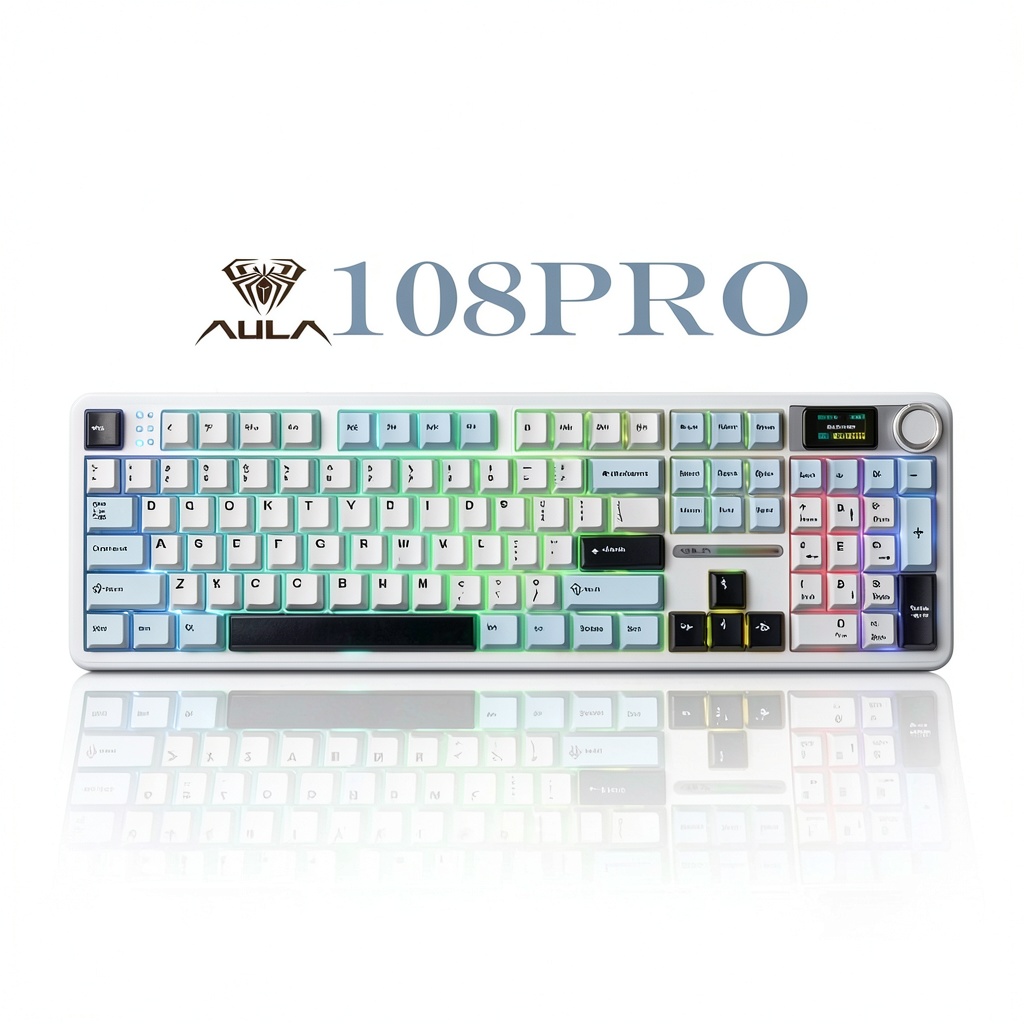
The AULA F108 Pro doesn’t pretend to be a premium luxury item—and that’s actually refreshing. The plastic case has minimal flex, and the weight (about 2.2lbs) provides enough heft to stay planted during aggressive typing sessions. What surprised me was the attention to practical details: rubber feet that actually grip desks, a two-stage kickstand that offers useful typing angles, and a USB-C port that’s properly reinforced.
The smart screen initially seemed like marketing fluff, but I found myself using it regularly to monitor system resources without alt-tabbing from full-screen applications. It displays CPU usage, temperature, battery level, and custom text—though the customization options are limited to pre-set phrases rather than true custom images.
The reality check: While the construction is solid for the price, it lacks the premium feel of keyboards costing twice as much. The ABS keycaps show shine relatively quickly, and the plastic case has a utilitarian rather than luxurious finish.
Performance in Real Use
Gaming performance revealed interesting trade-offs. Using the 2.4GHz wireless connection, I experienced no noticeable latency in casual gaming sessions across several titles including Valorant and Apex Legends. However, during intense competitive matches, I occasionally noticed what felt like minimal input delay—not enough to ruin the experience, but sufficient that serious esports players would likely prefer a wired connection.
The typing experience depends heavily on which switches you choose. The stock red switches provide a linear feel that’s serviceable but lacks the smoothness of premium alternatives. After a week of use, I swapped in some Gateron Yellows, and the improvement was immediately noticeable. The hot-swap functionality works exactly as advertised—no soldering required, and the sockets felt durable through multiple switch changes.
Battery life deserves special mention. With RGB at 50% brightness and daily 8-hour use, I achieved 10 days between charges. Turning off RGB extended this to nearly three weeks—genuinely impressive for wireless usage.
Ease of Use
Setting up the AULA F108 Pro is straightforward, but there are nuances the manual doesn’t explain well. Pairing devices via Bluetooth requires holding the function key combinations longer than you might expect—about 5-7 seconds until the indicator flashes rapidly. The multifunction knob defaults to volume control but can be reprogrammed via software for brightness or media control.
The software, while functional, represents one of the keyboard’s weaker aspects. It provides basic customization for RGB effects and key assignments but lacks the depth of more established brands. You can create macros and adjust lighting patterns, but advanced users will find the options limited.
One pleasant surprise: the keyboard remembers your settings across devices and connections. I could configure lighting on my desktop via wired connection, then switch to wireless on my laptop and retain the same settings.
Durability & Reliability
After a month of testing, the AULA F108 Pro showed no signs of wear beyond expected keycap shine. The hot-swap sockets remained tight through multiple switch changes, and the wireless connectivity never dropped unexpectedly. The battery maintained consistent performance without noticeable degradation.
The stabilizers on larger keys (spacebar, enter, shift) deserve mention—they’re pre-lubricated reasonably well, with minimal rattle compared to other budget keyboards. While not as refined as custom-lubed stabilizers, they’re better than expected at this price point.
Pros & Cons
What works well:
- Exceptional battery life – Lasts through multiple work weeks without charging
- Genuinely useful hot-swap functionality – Perfect for beginners wanting to experiment
- Reliable wireless performance – No connectivity drops during normal use
- Smart screen adds practical value – More than just aesthetic appeal
- Comfortable typing angle – Well-designed ergonomics out of the box
Where it falls short:
- Mediocre stock switches – Serviceable but not premium feeling
- Limited software customization – Basic functionality compared to competitors
- ABS keycaps show wear quickly – Expect shine within months of heavy use
- Audible spring ping – Some switches exhibit spring noise during aggressive typing
- Bland aesthetics – Functional but lacks design personality
Comparison & Alternatives
Cheaper Alternative: Royal Kludge RK87 (<$70)
The RK87 sacrifices the smart screen and full-size layout but delivers similar core functionality at a lower price. Where the AULA F108 Pro wins: better battery life, more features, full-size layout. Where the RK87 wins: more compact form factor, slightly better software. Choose the RK87 if you need a compact keyboard and don’t care about the smart screen or numpad.
Premium Alternative: Keychron K10 Pro (~$110)
Keychron’s offering costs about $20 more but delivers significantly better build quality and software support. The K10 Pro features double-shot PBT keycaps, more robust construction, and vastly superior software customization. Choose the Keychron if you’re willing to pay more for better materials and don’t need the smart screen functionality.
The value proposition becomes clear: The AULA F108 Pro sits in a sweet spot for users who want maximum features per dollar and don’t mind compromising on materials quality.
Buying Guide / Who Should Buy
Best for beginners: If you’re new to mechanical keyboards and want to experiment with different switch types without commitment, the hot-swap functionality provides excellent entry-point value. The straightforward operation and clear documentation make it accessible.
Best for professionals: Office workers who need a comfortable full-size keyboard for extended typing sessions will appreciate the ergonomic design and reliable wireless connectivity. The ability to switch between multiple devices seamlessly is genuinely productivity-enhancing.
Not recommended for: Competitive esports players who require absolute minimal input latency should look at dedicated gaming keyboards. Keyboard enthusiasts seeking premium acoustics and feel will be disappointed by the stock switches and sound profile. Users wanting extensive software customization should consider alternatives with more robust programming options.
FAQ
How difficult is it to change the switches?
Surprisingly easy—the included switch puller works well, and the hot-swap sockets are clearly labeled. Even with no prior experience, I changed all 108 switches in about 20 minutes. The process is beginner-friendly but rewarding for experimentation.
Is the wireless latency noticeable for gaming?
For casual gaming, no. During testing with FPS and MOBA titles, the 2.4GHz connection felt responsive enough for recreational play. However, during competitive ranked matches, I occasionally noticed what felt like minimal delay—serious players should use wired mode or consider a dedicated gaming keyboard.
How customizable is the smart screen?
Less than you might hope. You can cycle through system monitoring displays (CPU, memory, battery) and set custom text from pre-defined options, but you can’t upload custom images or create complex animations. It’s functional rather than deeply customizable.
What’s the real battery life with RGB on?
With RGB at medium brightness and daily 8-hour use, I consistently achieved 10-12 days between charges. Turning RGB off extended this to nearly three weeks. The 8000mAh battery is one of the keyboard’s genuinely impressive features.
Are the keycaps replaceable?
Yes—they use standard Cherry MX stem compatibility, so most aftermarket keycap sets will fit. However, the bottom row uses standard sizing, unlike some gaming keyboards that use proprietary layouts, making replacement straightforward.
Is the AULA F108 Pro worth $90?
For users wanting maximum features at this price point, absolutely. The combination of hot-swap functionality, wireless connectivity, smart screen, and impressive battery life represents solid value. However, if you prioritize premium materials or extensive software customization, you might be better served spending slightly more for alternatives like Keychron offerings.