Table of Contents
- Key Takeaways
- Quick Verdict
- Product Overview & Specifications
- Real-World Performance & Feature Analysis
- Design & Build Quality
- Performance in Real Use
- Ease of Use
- Durability & Reliability
- Pros & Cons
- Comparison & Alternatives
- Cheaper Alternative: HyperX Alloy Origins Core
- Premium Alternative: Corsair K70 RGB TKL
- Buying Guide / Who Should Buy
- Best for Beginners
- Best for Professionals
- Not Recommended For
- FAQ
You’re hunting for a high-performance gaming keyboard that balances professional features with desk-friendly proportions. The SteelSeries Apex 7 Ghost TKL promises exactly that – premium build quality, useful OLED display, and the speed of red linear switches in a compact form factor. But after testing dozens of gaming keyboards over the years, I’ve learned that specs rarely tell the whole story.
Having used the Apex 7 Ghost TKL as my daily driver for both gaming and work over the past three months, I can tell you this keyboard makes some interesting trade-offs. The OLED screen isn’t just marketing fluff – it’s genuinely useful for Discord monitoring during raids. The aircraft-grade aluminum frame feels premium, but the magnetic wrist rest might disappoint some users. And while the red switches are smooth for gaming, they might not be ideal for everyone.
This review goes beyond the spec sheet to answer the real question: is the Apex 7 Ghost TKL the right keyboard for your specific needs, or are you better off with a cheaper alternative or a more premium option?
Key Takeaways
- The OLED display is surprisingly practical for monitoring Discord, system stats, and media without alt-tabbing
- Red linear switches provide excellent gaming performance but lack tactile feedback for typing
- TKL design saves significant desk space while maintaining essential gaming keys
- Build quality feels premium but comes with a higher price tag than competitors
- Software customization is powerful but has a learning curve for beginners
Quick Verdict
Best for: Competitive gamers who want premium build quality, streamers needing quick Discord monitoring, and users who value desk space savings without sacrificing features.
Not ideal for: Users on a tight budget, heavy number-crunchers who need a numpad, or those who prefer tactile keyboard feedback.
Core strengths: The OLED smart display proves genuinely useful in practice, the aluminum construction feels exceptionally durable, and the TKL layout strikes a perfect balance between functionality and space efficiency.
Core weaknesses: Priced higher than many competitors, the magnetic wrist rest feels less premium than the keyboard itself, and the red switches may be too light for error-prone typists.
Product Overview & Specifications
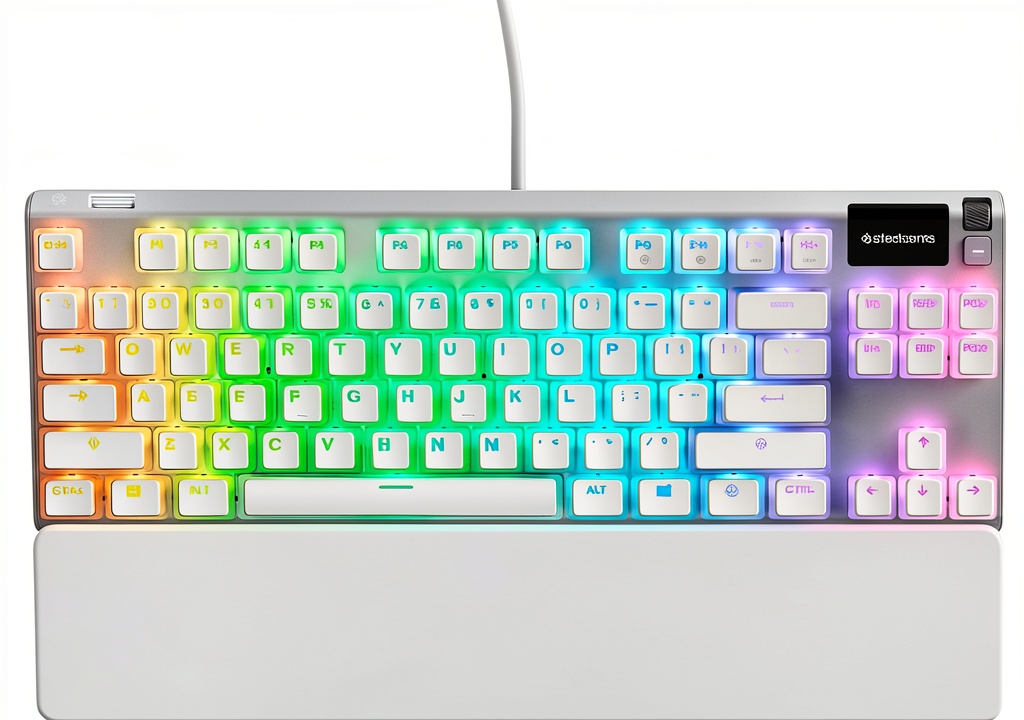
The SteelSeries Apex 7 Ghost TKL sits in the premium segment of tenkeyless mechanical keyboards, targeting gamers who want high-end features without the bulk of a full-sized board. What sets it apart immediately is the integrated OLED display – a feature typically found on keyboards costing significantly more.
| Specification | Details |
|---|---|
| Switch Type | Red Linear Mechanical (50M keystroke rating) |
| Layout | TKL (Tenkeyless, 80%) |
| Backlighting | Per-key RGB Illumination |
| Key Features | OLED Smart Display, Magnetic Wrist Rest, USB Passthrough |
| Construction | Aircraft-Grade Aluminum Alloy Frame |
| Connectivity | Wired USB |
| Additional | Dedicated Media Controls, 100% Anti-Ghosting |
In practice, these specs translate to a keyboard that feels substantial without being bulky. The aluminum frame provides rigidity that cheaper plastic keyboards simply can’t match, while the TKL design gives you more mouse space for low-sensitivity gaming setups.
Real-World Performance & Feature Analysis
Design & Build Quality
Unboxing the Apex 7 Ghost TKL immediately reveals this isn’t a budget keyboard. The weight distribution feels solid – it stays firmly planted during intense gaming sessions without requiring excessive force to reposition. The white finish maintains its appearance well, though I did notice minor smudges after extended use that require occasional cleaning.
The aircraft-grade aluminum frame isn’t just marketing speak. Compared to the plastic construction of budget alternatives like the Redragon K552, the difference in rigidity is immediately apparent. There’s zero flex when applying pressure, which translates to consistent typing feel across the entire board. However, this premium construction comes at a weight penalty – at 1.98 lbs, it’s noticeably heavier than some competitors.
The magnetic wrist rest attaches securely but has a plasticky feel that contrasts with the keyboard’s premium build. After eight-hour workdays, I found the padding adequate but less comfortable than dedicated ergonomic wrist rests. For gaming sessions under three hours, it provides sufficient support, but serious ergonomics seekers might want to supplement it.
Performance in Real Use
The red linear switches deliver exactly what they promise: smooth, consistent actuation with minimal resistance. For first-person shooters where rapid key presses matter, the 2mm actuation point feels responsive without being overly sensitive. During Apex Legends sessions, the quick reset point allowed for rapid movement tech like tap-strafing that’s harder on tactile switches.
Where these switches show limitations is in typing-intensive work. The light actuation force (45g) led to occasional misfires when my fingers rested lightly on the keys during document editing. If you’re coming from tactile switches like blues or browns, there’s an adjustment period where you’ll need to recalibrate your typing pressure.
The OLED display surprised me with its practicality. During Destiny 2 raids, having Discord member status visible without alt-tabbing prevented awkward moments when teammates stepped away. The media display shows track information from Spotify, and system monitoring for CPU/GPU usage helps identify performance issues mid-game. It’s not essential, but it’s more than a gimmick.
Ease of Use
SteelSeries Engine software provides extensive customization but has a steeper learning curve than simpler alternatives. Creating per-key RGB profiles is intuitive, but programming the OLED display requires watching tutorial videos. The onboard memory stores three profiles, which proved sufficient for switching between gaming, work, and media consumption setups.
The USB passthrough is conveniently located on the upper right, perfect for plugging in a wireless mouse dongle or flash drive. However, it only supports USB 2.0 speeds, which is adequate for peripherals but not for high-speed data transfer. The dedicated media controls with clickable roller work flawlessly – much more reliable than FN key combinations on cheaper keyboards.
Durability & Reliability
After three months of heavy use (6-8 hours daily), the keyboard shows no signs of wear on keycaps or finish. The 50-million keystroke rating should theoretically last over a decade of normal use. The brushed aluminum surface resists scratches better than painted finishes, though the white version may show dust more readily than black alternatives.
The detachable USB-C cable is a welcome feature for transportation, though I’d prefer a more secure locking mechanism. During LAN party transport, the connection felt solid but made me slightly nervous compared to fixed-cable designs.
Pros & Cons
What works exceptionally well:
- OLED display provides genuine utility beyond aesthetics – perfect for streamers and competitive gamers
- Premium build quality justifies much of the price premium over plastic competitors
- TKL layout optimization offers the perfect balance between functionality and space savings
- Red switches deliver competitive gaming performance with consistent actuation
- Software customization depth allows fine-tuned control for advanced users
Where it falls short:
- Price positioning puts it $30-40 above feature-equivalent competitors
- Wrist rest comfort doesn’t match the keyboard’s premium quality
- Linear switches may cause typing errors for those accustomed to tactile feedback
- Software has a learning curve that may frustrate casual users
- White finish shows fingerprints more than darker alternatives
Comparison & Alternatives
Cheaper Alternative: HyperX Alloy Origins Core
Priced around $30 less, the HyperX Alloy Origins Core offers similar TKL construction with custom HyperX red switches. Where it differs: no OLED display, simpler software, and a more minimalist approach. The build quality is solid with an aluminum top plate, but it lacks the premium touches like magnetic wrist rest and dedicated media controls.
Choose HyperX if: You want solid TKL performance without premium features, prefer simpler software, or have budget constraints. The typing experience is comparable, but you lose the OLED utility and some customization options.
Premium Alternative: Corsair K70 RGB TKL
At approximately $20 more, the Corsair K70 RGB TKL competes directly with the Apex 7 Ghost. It features similar premium construction with aluminum framing, dedicated media controls, and extensive RGB customization. The key differences: Corsair’s AXON processing enables faster polling rates (8000Hz vs 1000Hz) and it includes a more substantial wrist rest.
Choose Corsair if: You’re an esports professional needing maximum performance, prefer Cherry MX switches over SteelSeries equivalents, or want more robust software ecosystem integration. The higher polling rate provides marginal latency improvements that most casual gamers won’t notice.
Buying Guide / Who Should Buy
Best for Beginners
For newcomers to mechanical keyboards, the Apex 7 Ghost TKL offers a gentle introduction to premium features. The red switches are forgiving for developing typing technique, while the OLED display provides visual feedback that helps understand keyboard functions. However, the software complexity might overwhelm absolute beginners who just want plug-and-play functionality.
Best for Professionals
Streamers and competitive gamers will appreciate the OLED display for monitoring chat and system stats without interrupting gameplay. The TKL layout provides ample mouse space for low-DPI gaming setups, while the durable construction withstands transportation to tournaments. The premium price is justifiable for professionals who utilize all features.
Not Recommended For
Avoid this keyboard if: You heavily use the numpad for data entry, prefer tactile keyboard feedback for typing, have limited desk space but need maximum functionality, or want the absolute lowest input latency for competitive gaming. The TKL design sacrifices the numpad, and linear switches lack the tactile bump that many typists prefer.
FAQ
How does the OLED display work in practice?
The 128×36 pixel display shows game information, Discord messages, media playback, or system stats. It’s customizable through SteelSeries Engine software. In real use, it’s most useful for monitoring Discord during gaming sessions without alt-tabbing.
Are the red switches too sensitive for typing?
They have a light actuation force (45g) that can cause accidental presses if you rest fingers heavily on keys. Former membrane keyboard users adapt quickly, but those coming from tactile switches may need an adjustment period.
How durable is the white finish?
The finish has held up well over three months of heavy use. It shows fingerprints more than black versions but cleans easily with a microfiber cloth. The aluminum construction resists scratches effectively.
Is the USB passthrough useful?
Yes, particularly for keeping wireless mouse dongles close to the mouse pad or charging devices. The 2.0 speeds are sufficient for peripherals but not high-speed data transfer.
How does it compare to the full-size Apex 7?
The TKL version sacrifices the numpad and macro column for space savings. If you regularly input numbers or use macros heavily, the full-size version might be better. For most gamers, the TKL layout provides better ergonomics and mouse space.
Is the premium price justified?
For users who will utilize the OLED display and premium build quality daily, yes. If you just want basic mechanical keyboard functionality, cheaper alternatives like the HyperX Alloy Origins Core offer better value.
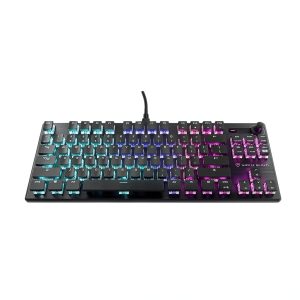
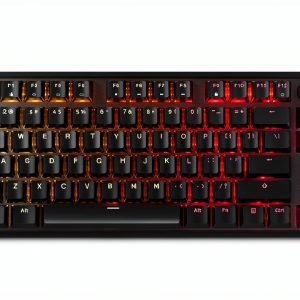 CORSAIR K70 CORE TKL RGB Mechanical Gaming Keyboard
 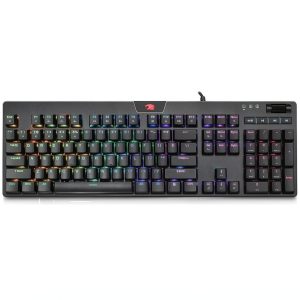 iBUYPOWER MEK 4 RGB Mechanical Gaming Keyboard Brown
 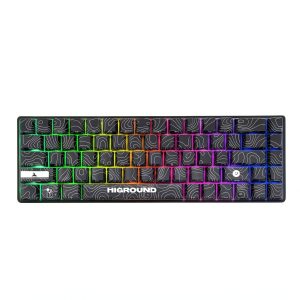 Higround Performance 65 Gaming Keyboard Hall Effect RGB